 English
 Spanish
 French
 German
 Italian
 Chinese (Simplified)
 Japanese
 Korean
 Arabic
 Portuguese
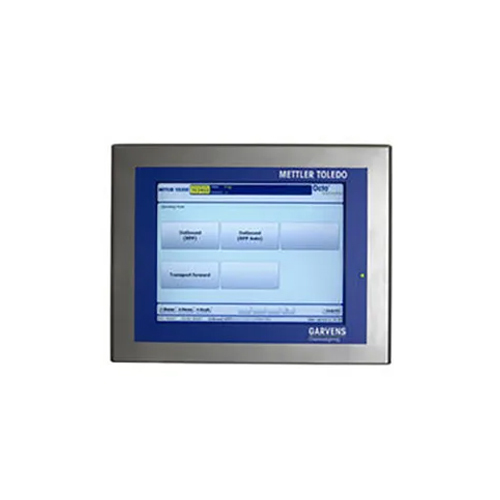
Data Capture Software
Product Details:
- Compatible System Desktop and Laptop
- Support System Windows and Mac OS
- Language Support English
- Capacity (Person) Multiple Users
- Interface Type User Friendly GUI
- Usage For Professional and Industrial Use
- Security Features Password Protected Access
- Click to View more
Data Capture Software Price And Quantity
- 1 Piece
- Automated Backup Supported
- 500 MB
- 1 Year Subscription
- Cloud and On-Premise
- Role-Based Access Control
- 24/7 Customer Service
- Regular Software Updates
- Intel Core i3 and above
- Real-Time Sync
- PDF, Excel, CSV
- 2 GB
Data Capture Software Product Specifications
- User Friendly GUI
- Data Capture Software
- Data Collection and Management
- Password Protected Access
- For Professional and Industrial Use
- Desktop and Laptop
- Windows and Mac OS
- English
- Multiple Users
- Automated Backup Supported
- 500 MB
- 1 Year Subscription
- Cloud and On-Premise
- Role-Based Access Control
- 24/7 Customer Service
- Regular Software Updates
- Intel Core i3 and above
- Real-Time Sync
- PDF, Excel, CSV
- 2 GB
Data Capture Software Trade Information
- Asia, Central America, North America, South America, Eastern Europe, Western Europe, Middle East, Australia, Africa
- All India
Product Description
Data Capture Software Solutions
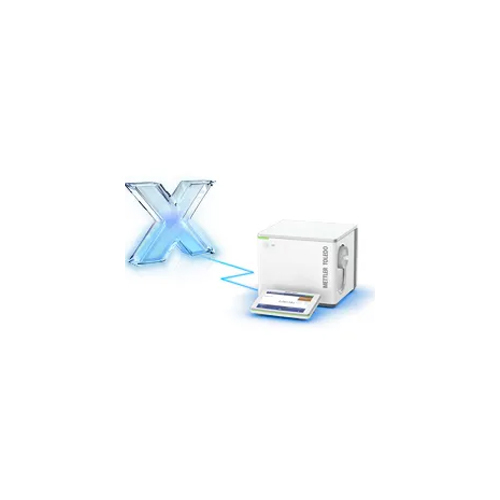
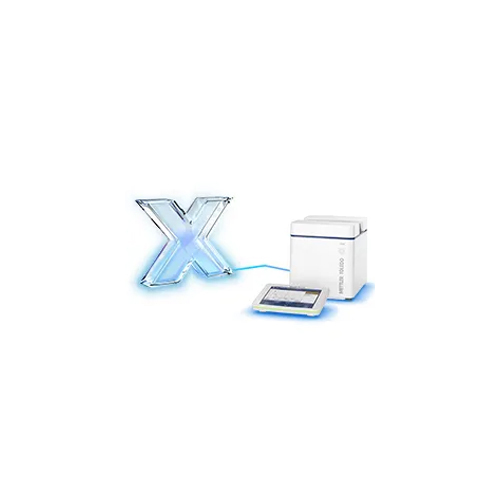
Software and Data management solutions from METTLER TOLEDO for improving efficiency, profitability and customer service.
Fully Modular
Software turns your dimensioner into a turn-key data capture system
Simply Upgraded
Easily upgrade or add modules to meet changing operational requirements
Secure Data Storage
Store and easily recall data from a Legal for Trade, Alibi Database
Trend Analysis
Easily visible measurement statistics aid operational improvement and planning
Features:
- Data Capture Software Solutions are very effective
- They capture all the important data properly
- Also capture plan outlines
- Give high-quality customer data
- Very economical to use
- Designed used modern technology
- Great to use
- Can help to improve relationship with customers
- Also increases sales
- Easy to manage your customers
Product details
|
Certified |
ISMS,ISO:9001,NDA |
|
Brand |
METTLER TOLEDO |
|
Industry to Cater |
Retail,Insurance,Media & Publishing,Healthcare,Banking & Finance |
|
Certified |
ISMS,ISO:9001,NDA |
|
Brand |
METTLER TOLEDO |
|
Industry to Cater |
Retail,Insurance,Media & Publishing,Healthcare,Banking & Finance |
FAQ
1. What is data capture software, in general?
Ans - Data capture software is a programme made to gather data from multiple sources and store it digitally so that it can be easily accessed and analysed. It can be utilised to collect data from sensors, databases, webpages, and other sources.
2. What advantages come with employing data capture software?
Ans - Businesses may improve the effectiveness, precision, and speed of data collecting and processing by using data capture software. Additionally, it can make accessing data for data analysis and decision-making quicker and reduce the costs related to manual data entry.
3. What kinds of data can data capture software gather?
Ans - Virtually any sort of data, including textual, numerical, visual, audio, and geographic data, can be captured with data capture software.
4. How safe is data capturing software?
Ans - Access restrictions and encryption are generally included into data capture software as part of its secure architecture. Additionally, it can be integrated with other security systems, like firewalls and authentication procedures, to offer more security.
5. Which business models are helped by data capture software?
Ans - Data capture software can be useful for any company or institution that gathers or stores data. This includes shops, hospitals, government entities, academic institutions, and more.
Flexible Deployment and Reliable Backup
This software provides the choice between cloud-based or on-premise installation, catering to diverse business requirements. The automated backup feature ensures your data remains secure and recoverable, reducing the risk of loss due to unforeseen events. With regular updates as part of the annual subscription, your system stays current with the latest enhancements and security patches.
Real-Time Synchronization and Robust Security
Experience uninterrupted data flow with real-time synchronization across devices. The application employs role-based access controls and password protection, safeguarding sensitive information and ensuring compliance. Its intuitive interface on Windows and Mac OS guarantees smooth adoption by teams of any size.
FAQs of Data Capture Software:
Q: How is the Data Capture Software installed and supported across different environments?
A: The software can be deployed either in the cloud or on-premise, depending on your organizations needs. It is compatible with Windows and Mac OS, functioning seamlessly on both desktops and laptops. Comprehensive 24/7 customer service is available to assist with installation and ongoing technical issues.Q: What backup and recovery options are available for my data?
A: Automated backup is a standard feature, providing scheduled and reliable backups of your data. This capability helps you recover information quickly in the event of system failures, ensuring business continuity and peace of mind.Q: When will I receive software updates during my 1-year subscription?
A: Regular software updates are automatically provided throughout your 1-year subscription period. These updates include security enhancements, new features, and performance improvements to keep your system up-to-date.Q: Where can I access and export my data reports for analysis?
A: Data reports can be exported in multiple formats including PDF, Excel, and CSV. You can access and generate reports directly within the software on supported operating systems, enabling convenient analysis and sharing among team members.Q: What is the process for managing user roles and access within the software?
A: Role-based access control allows administrators to assign privileges and restrict data access based on user roles. This ensures that only authorized personnel can view or modify sensitive data, strengthening your organizations internal security.Q: How does real-time data synchronization benefit my organization?
A: Real-time sync ensures that all users have access to the latest data instantly, minimizing discrepancies and enabling swift, informed decision-making. This is particularly valuable in dynamic professional and industrial environments where timely information is critical.
Price:
- 50
- 100
- 200
- 250
- 500
- 1000+

Other Products in 'Software Products' category

GST : 27AABCM0779N1Z0

- Amar Hill, Saki Vihar Road, Powai,Mumbai - 400072, Maharashtra, India
- Phone : 08045816537
- Ms Ekta Zemse (Executive Marketing)
- Mobile : 08045816537
-
 Send Inquiry
 Send Inquiry
|


 |
Mettler-Toledo India Private Limited
All Rights Reserved.(Terms of Use) Developed and Managed by Infocom Network Private Limited. |
